

Published: June 15, 2026
by
Marguerite Cotter
If you are looking into security cameras for your home, you have probably already discovered just how many options are out there. Indoor, outdoor, wired, wireless, monitored, self-monitored, cloud storage, local storage. The sheer range of choices can make a straightforward decision feel overwhelming. The good news is that choosing the right security camera does not need to be complicated. It comes down to a handful of practical decisions based on your property, your priorities, and the level of protection you want.
This guide walks you through each of those decisions step by step, so you can choose the right camera for your home with confidence, not confusion.
Quick Facts: How to Choose the Right Security Camera
Choosing the right home security camera comes down to five key decisions: where you need coverage, whether you want wired or wireless, what image quality you need, how footage is stored, and whether you want professional monitoring or app-based alerts only.
- Coverage type matters. Outdoor cameras need weatherproofing and a wider field of view, while indoor cameras prioritise discreet placement and features like two-way audio.
- Monitoring makes a difference. Professionally monitored cameras connect to a 24/7 response centre where trained operators act on alerts. Self-monitored cameras send notifications to your phone only, leaving the response up to you.
- GDPR applies in Ireland. Placing cameras that capture public spaces or neighbouring properties may have data protection implications for Irish homeowners.
- Integration strengthens protection. PhoneWatch cameras integrate with a monitored alarm system, providing verified alerts and a real human response when it matters most.
- Local storage uses an SD card inside the camera. It is straightforward but limited in capacity, and if the camera is stolen or damaged, the footage goes with it.
- Cloud storage saves footage to a remote server, usually through a subscription service. This means footage is accessible from anywhere and is protected even if the camera itself is compromised.
- Integrated system storage is managed through your security provider, combining camera footage with your wider alarm system for a unified view of your home's security.
Start Here: Where Do You Need Camera Coverage?
Before you look at any camera specifications or features, the first question to answer is a simple one: what areas of your home do you actually need to see? Most Irish homeowners start with the most common entry points. The front door and driveway are the areas where activity is most frequent and where a visible camera can act as a genuine deterrent. The back garden is another priority, particularly if it is accessible from a lane or has a side gate. Inside the home, hallways, living areas, and rooms where valuables are kept are the most popular spots for coverage.
The requirements for indoor and outdoor cameras differ in some important ways. An outdoor security camera needs to be weatherproof, capable of handling varying light conditions, and fitted with a wide enough field of view to cover open areas like driveways or gardens. An indoor security camera is typically more compact and discreet, often featuring two-way audio so you can communicate through the camera remotely. For homeowners looking for a simple way to monitor their main entrance, a video doorbell camera can provide clear visibility of visitors and activity at the front door.
Many homeowners find that a combination of indoor, outdoor and doorbell cameras gives the most complete picture. The key is to identify your coverage priorities first and let those guide the rest of your decisions.
Self-Monitored vs Professionally Monitored Security Cameras
This is one of the most important distinctions to understand when choosing a security camera, and it is the one that makes the biggest difference to what actually happens when something goes wrong.
A self-monitored camera sends a push notification to your phone when it detects motion. From there, it is entirely up to you to check the footage, assess the situation, and decide whether to call the Gardai or take other action. If you are asleep, abroad, or simply not near your phone, that alert may go unanswered.
A professionally monitored camera works differently. When an alert is triggered, it is received by trained operators at a 24/7 Alarm Receiving Centre, who can verify the event using camera footage and dispatch emergency services if needed. PhoneWatch operates with an average response time of 15 seconds, meaning the gap between an alert and a real human response is measured in moments, not minutes.
Neither option is inherently wrong, but the difference in what happens during a real incident is significant. Self-monitored systems give you visibility. Professionally monitored systems give you visibility and a verified response.
Wired vs Wireless Security Cameras: Which Is Right for Your Home?
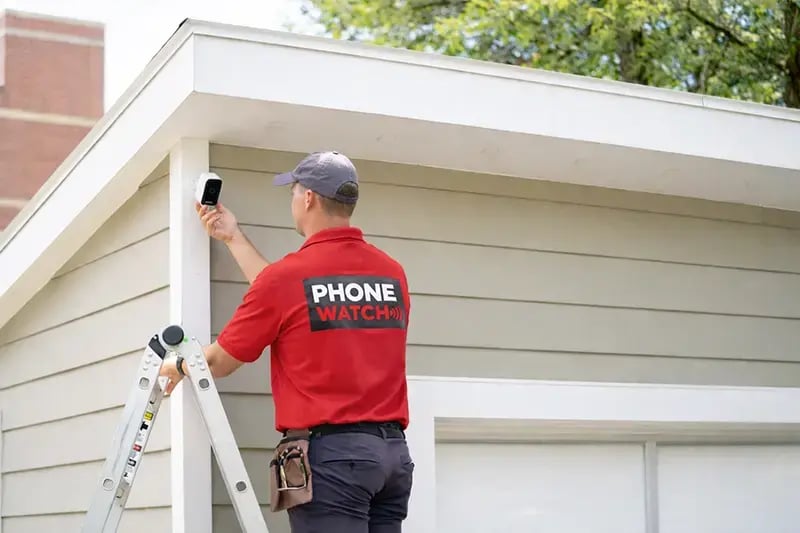
The choice between wired and wireless cameras is less about which is "better" and more about which suits your property and situation.
|
Feature |
Wired Cameras |
Wireless Cameras |
|
Installation |
Requires cabling, typically professional fitting |
Easier to install and reposition |
|
Connectivity |
Consistent, not dependent on Wi-Fi strength |
Relies on Wi-Fi signal quality |
|
Power |
Mains-powered, no battery concerns |
Battery or mains-powered, depending on model |
|
Flexibility |
Fixed once installed |
Can be moved or repositioned more easily |
|
Maintenance |
Low once fitted |
May require battery replacement or recharging |
Wireless battery operated cameras offer more flexibility in terms of placement and are generally quicker to set up. Wired cameras tend to deliver more reliable connectivity, particularly in larger homes where Wi-Fi signal can be inconsistent across different rooms or outdoor areas.
If you are unsure which option is best suited to your home, a PhoneWatch security advisor can assess your property and recommend the right setup based on your layout, broadband infrastructure, and coverage needs.
Image Quality, Night Vision and Field of View: What the Specs Actually Mean

Camera specifications can feel like a foreign language if you are not technically minded. Here is what the most common terms actually mean for your day-to-day experience.
Resolution refers to how clear the footage is. HD (1080p) is the standard for most home security cameras and provides sharp, usable footage. 4K offers even greater detail, which can be useful for identifying faces or number plates, but it also requires more storage space.
Night vision is essential for any camera that needs to work after dark, which in Ireland means a good portion of the year. Most modern cameras use infrared LEDs to capture clear footage in low light or complete darkness, so you are not left with a blank screen overnight.
Field of view determines how wide an area the camera can capture. A narrow field of view might suit a hallway or a focused entry point, while a wider angle is better for driveways, gardens, or open-plan living spaces. Typically, outdoor cameras benefit from a field of view of 100 degrees or more.
The key takeaway is to match the specs to the job. A camera covering your front door does not need the same field of view as one watching an entire back garden.
Storage and App Integration: How Is Footage Kept and Accessed?
How your footage is stored determines how useful it is when you actually need it. There are three main options:
PhoneWatch customers can view live and recorded footage through the PhoneWatch app, which also allows you to manage your alarm system, check camera status, and receive alerts, all from your phone. This kind of integration means your cameras and alarm work together rather than operating as separate, disconnected tools.
GDPR and Camera Placement: What Irish Homeowners Need to Know
When installing exterior cameras at your home, there are additional considerations to keep in mind. This is particularly important in built-up areas where cameras may face a roadway or a neighbour’s property. GDPR and the right to privacy have a significant impact on where exterior cameras can be positioned. You must ensure they are directed only within your property and do not capture footage beyond your home’s boundary into a public area or a neighbour’s property. For this reason, careful consideration is required when deciding where to install them.
How Security Cameras Work Best as Part of a Monitored Alarm System
A security camera on its own gives you eyes on your property. A monitored alarm system gives you a response when something goes wrong. When the two are integrated, the result is stronger than either one alone.
Here is how it works in practice. If a sensor in your alarm system is triggered, camera footage can be used by monitoring centre operators to verify whether the alert is genuine. This verification step is critical: it reduces false alarm responses, ensures emergency services are dispatched only when needed, and means the response is faster and more accurate when it counts.
With PhoneWatch, cameras connect directly to the 24/7 alarm monitoring infrastructure. This means that when an alarm activates, trained operators can view footage in real time, assess the situation, and take appropriate action, all within an average of 15 seconds. At the same time, customers remain in full control of their privacy, managing camera rules and settings themselves, including determining when their cameras are monitoring and which zones are monitored.
With 33 years of experience protecting Irish homes, a 4.9 out of 5 Trustpilot rating, and over 120,000 customers, PhoneWatch can design a camera and monitoring solution that fits your property from day one. Talk to us today and get the right protection in place.
Get Expert Advice on the Right Camera for Your Home
Frequently Asked QuestionsDo I need an indoor or outdoor security camera?
This depends on where you most need visibility and protection. Outdoor cameras are typically used to monitor entry points such as the front door, driveway, and back garden. Indoor cameras are better suited to hallways, living areas, or rooms where high-value items are kept. Many homeowners choose a combination of both. A PhoneWatch adviser can help you identify the right coverage for your property.
What is the difference between a monitored and a self-monitored security camera?
A self-monitored camera sends alerts directly to your phone when motion is detected, and it is up to you to decide what action to take. A professionally monitored camera connects to a 24/7 Alarm Receiving Centre, where trained operators respond to alerts and can dispatch emergency services if needed. PhoneWatch cameras integrate with a monitored alarm system for a verified, human-backed response.
Is a wired or wireless security camera better for my home?
Wireless battery operated cameras are easier to install and position flexibly around a property, while wired cameras typically offer more consistent connectivity and do not rely on battery life or Wi-Fi signal strength. The right option depends on your home layout, existing infrastructure, and installation preferences. A PhoneWatch security advisor can advise on the most suitable setup for your property.
Do I need to worry about GDPR if I install an outdoor camera in Ireland?
Cameras covering your own property are generally permissible, but cameras that capture public areas, shared spaces, or neighbouring properties may have implications under GDPR. It is advisable to position cameras carefully to focus on your own land and to consider appropriate signage where relevant. PhoneWatch technicians can advise on the correct placement during installation.
How is security camera footage stored?
Footage can be stored locally on an SD card within the camera, in the cloud via a subscription service, or through an integrated system managed by your security provider. Cloud and integrated storage options typically allow you to access recorded footage remotely through an app and retain footage for a set period. PhoneWatch customers can manage and view footage through the PhoneWatch app.
Can I view my security camera footage on my phone?
Yes. PhoneWatch cameras can be accessed through the PhoneWatch app, which allows you to view live footage, review recordings, and manage your system remotely. This gives you visibility of your home at any time, whether you are at work, on holiday, or simply in another room.
Do I need a security camera if I already have an alarm system?
An alarm system and a security camera serve different but complementary purposes. An alarm detects intrusion and triggers a monitored response; a camera provides visual verification of what triggered it. When integrated, cameras help monitoring centre operators confirm whether an alert is genuine and respond faster and more accurately. PhoneWatch offers integrated systems that combine both for stronger overall protection.
Does PhoneWatch install security cameras as well as alarm systems?
Yes. PhoneWatch installs both indoor and outdoor security cameras, which can be integrated with a professionally monitored alarm system. All installations are carried out by trained technicians who advise on camera placement, coverage, and configuration. Every system is fully tested and connected to the PhoneWatch 24/7 Alarm Receiving Centre before the technician leaves.