
• Work with us
  • Customer Support
My Pages My Pages
Award winning alarm systems by Phonewatch
  • House Alarms
  • Business Alarms
  • Products
    • Security Cameras
      • Outdoor Security Camera
      • Indoor HD Security Camera
      • 180º HD Video Camera
      • Wireless Video Doorbell Camera
      • Camera Motion Detector
    • Security Sensors
      • Optical Smoke Detector
      • Contact and Shock Detector
      • Motion Detector
      • Water Leakage Detector
      • Glass Break Detector
      • Indoor Siren
    • Essentials
      • Alarm Signs and Stickers
      • Keypad and Keytags
      • Portable Voice Unit
      • Remote Control
      • Security Gateway
      • Outdoor Bellbox
    • Smart Home
      • PhoneWatch App
      • Smart Plug
  • Services
    • Smoke Alarms
    • Burglar Alarms
    • 24/7 Monitoring
  • About Us
    • Alarm Packages
    • Our Team
    • Reviews
  • Blog
Get 3 months free
Award winning alarm systems by Phonewatch
Get 3 months free
Award winning alarm systems by Phonewatch
My Pages My Pages
  • House Alarms
  • Business Alarms
  • Products
    • Security Cameras
      • Outdoor Security Camera
      • Indoor HD Security Camera
      • 180º HD Video Camera
      • Wireless Video Doorbell Camera
      • Camera Motion Detector
    • Security Sensors
      • Optical Smoke Detector
      • Contact and Shock Detector
      • Motion Detector
      • Water Leakage Detector
      • Glass Break Detector
      • Indoor Siren
    • Essentials
      • Alarm Signs and Stickers
      • Keypad and Keytags
      • Portable Voice Unit
      • Remote Control
      • Security Gateway
      • Outdoor Bellbox
    • Smart Home
      • PhoneWatch App
      • Smart Plug
  • Services
    • Smoke Alarms
    • Burglar Alarms
    • 24/7 Monitoring
  • About Us
    • Alarm Packages
    • Our Team
    • Reviews
  • Blog
Get a quote
  • Customer Support
  • Work with us

    Reinstall

    Do you have to paint, renovate, or do any other work at home? Then, we have instructional videos that will help you reinstall one or some of your alarm components.

    TC Panel

    TC Panel

    This product needs to be re-installed by a security advisor to ensure the best alarm signals are received to function correctly. Please click here to arrange a service appointment via our chatbot. 
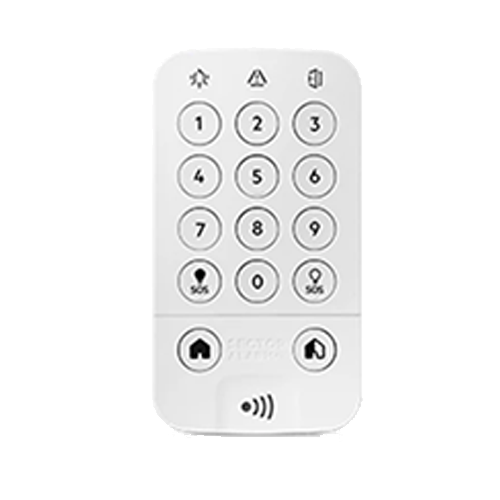
    TC Keypad

    TC Keypad

    Reinstall

    Read Instructions
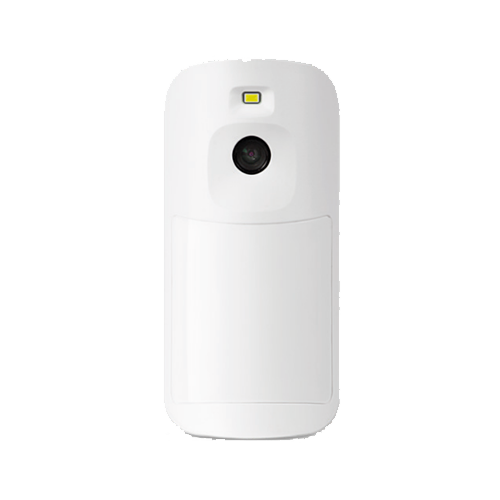
    TC PIR Motion Sensor with Camera

    TC PIR Motion Sensor with Camera

    Reinstall

    Read Instructions
    TC Magnet Contact Sensor

    TC Magnet Contact Sensor

    Reinstall

    Read Instructions

    Re-install

    1. Align the keypad bracket, screw in the 3 screws to secure the bracket to the wall with a Phillips (crosshead) screwdriver or a drill. 
    2. Place keypad back onto bracket, inserting the top of the keypad first. Make sure the keypad is clicked firmly into place. 
    3. Once the Keypad is placed onto the bracket, insert the screw at the bottom of the keypad with a Phillips (crosshead) screwdriver and place cover back on. 
    4. Wait 1 minute then enter your alarm code three times, lights on the keypad will clear. Any faults lights on Keypad, direct customer to chatbot or user manual. 

    Re-install

    1. Align the bracket, screw in the 2 screws to secure the bracket to the wall with a Phillips (crosshead) screwdriver or a drill. 
    2. Place the sensor back onto the bracket – Insert top part of sensor first then bottom part. Make sure the sensor is clicked firmly into place.  
    3. Wait 1 minute then enter your alarm code three times, lights on the keypad will clear. Any faults lights on Keypad, direct customer to chatbot or user manual. 

    Re-install

    1. Align the larger bracket with the door frame/window frame. Screw in the 2 screws to secure the bracket to the door frame/window frame with a Phillips (crosshead) screwdriver or a drill. 
    2. Align the sensor cover with the bracket by ensuring the ridges on each end match. Click the cover firmly into place.  
    3. Align the smaller bracket onto the door/window itself. Screw in the 2 screws to secure the bracket to the door/window with a Phillips (crosshead) screwdriver or a drill. 
    4. Align the sensor cover with the bracket by ensuring the ridges on each end match. Click the cover firmly into place.  
    5. Once re-installed, wait 1 minute then enter your alarm code three times, lights on the keypad will clear. Any faults lights on Keypad, direct customer to chatbot or user manual. 

    Please carefully review these instructions before proceeding to avoid damaging components. There may be a cost to replace any components that are damaged during renovations. If you need help, contact us via chat.

    PhoneWatch
    Twitter
    Services
    • House Alarms
    • Burglary Alarms
    • Monitoring
    • Smoke Alarms
    Products
    • Security Cameras
    • Smart Home
    • Security Sensors
    • Essentials
    PhoneWatch
    • 15 Second Alarm Response
    • 4 Times
    • About PhoneWatch
    • Media queries
    • Blog

    Floors 3-5, Block 1 Irish Life Centre
    Lower Abbey Street
    Dublin 1, D01 Y7V2

    Call: 0818 753 753 Email: customersupport@phonewatch.ie © PhoneWatch. All rights reserved. The product/service names listed in this document are marks and/or registered marks of their respective owners and used under license. Unauthorised use strictly prohibited. PSA licence number 00621.

    • Privacy Policy
    • Privacy Policy for recruitment
    • Gender Pay Report
    • Cookie Policy
    • Whistle blower
    • Terms and conditions