
• Work with us
  • Customer Support
My Pages My Pages
Award winning alarm systems by Phonewatch
  • House Alarms
  • Business Alarms
  • Products
    • Security Cameras
      • Outdoor Security Camera
      • Indoor HD Security Camera
      • 180º HD Video Camera
      • Wireless Video Doorbell Camera
      • Camera Motion Detector
    • Security Sensors
      • Optical Smoke Detector
      • Contact and Shock Detector
      • Motion Detector
      • Water Leakage Detector
      • Glass Break Detector
      • Indoor Siren
    • Essentials
      • Alarm Signs and Stickers
      • Keypad and Keytags
      • Portable Voice Unit
      • Remote Control
      • Security Gateway
      • Outdoor Bellbox
    • Smart Home
      • PhoneWatch App
      • Smart Plug
  • Services
    • Smoke Alarms
    • Burglar Alarms
    • 24/7 Monitoring
  • About Us
    • Alarm Packages
    • Our Team
    • Reviews
  • Blog
Get 3 months free
Award winning alarm systems by Phonewatch
Get 3 months free
Award winning alarm systems by Phonewatch
My Pages My Pages
  • House Alarms
  • Business Alarms
  • Products
    • Security Cameras
      • Outdoor Security Camera
      • Indoor HD Security Camera
      • 180º HD Video Camera
      • Wireless Video Doorbell Camera
      • Camera Motion Detector
    • Security Sensors
      • Optical Smoke Detector
      • Contact and Shock Detector
      • Motion Detector
      • Water Leakage Detector
      • Glass Break Detector
      • Indoor Siren
    • Essentials
      • Alarm Signs and Stickers
      • Keypad and Keytags
      • Portable Voice Unit
      • Remote Control
      • Security Gateway
      • Outdoor Bellbox
    • Smart Home
      • PhoneWatch App
      • Smart Plug
  • Services
    • Smoke Alarms
    • Burglar Alarms
    • 24/7 Monitoring
  • About Us
    • Alarm Packages
    • Our Team
    • Reviews
  • Blog
Get a quote
  • Customer Support
  • Work with us
    • Home
    • Customer Support
    • PhoneWatch App

    One easy-to-use App
    that does it all

    Full control of your home from the palm of your hand

    Full control of your home from the palm of your hand

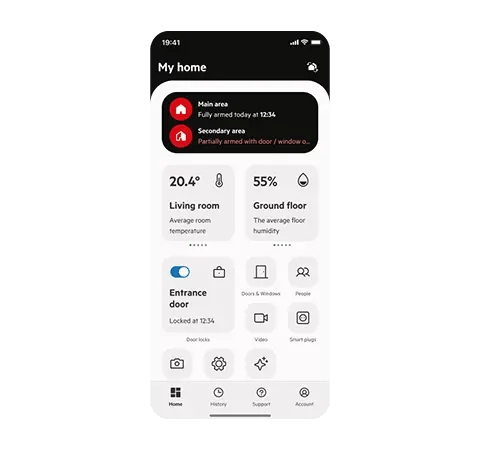
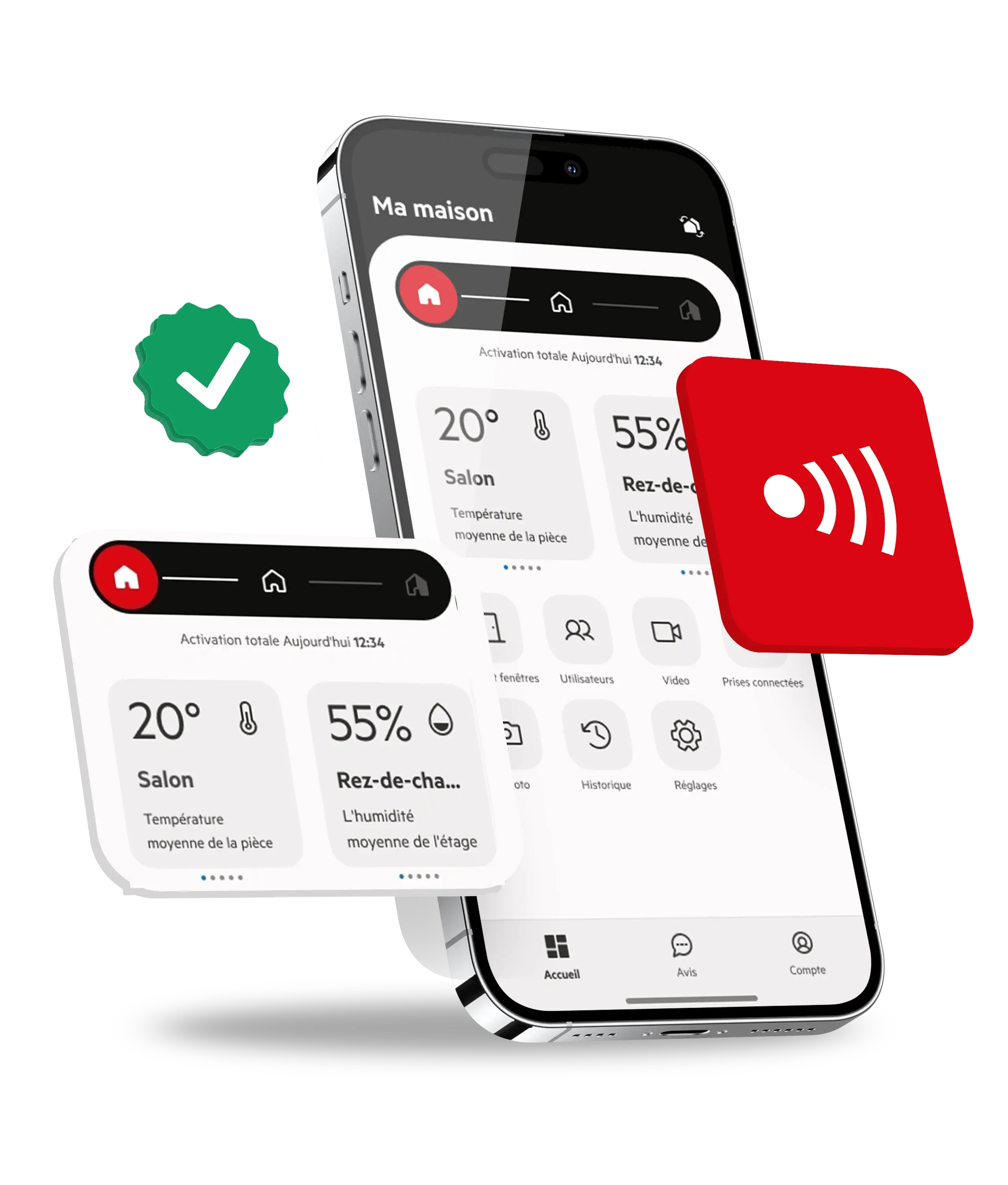
    Stay in control no matter where you are with the PhoneWatch App. Easily arm and disarm your security system, lock and unlock doors, and manage smart appliances right from your phone.

    Full control of your home from the palm of your hand
    if-awards-1
    iF Award winner 2024

    Our app has been recognised with the prestigious IF Award, an international recognition that highlights excellence in design and functionality.

    app-store
    Top- rated in App Store

    Our app continuously receives high ratings in the App Store, reflecting the satisfaction and trust of our users in the quality and functionality we offer.

    google-play
    Top- rated in Google Play

    On Google Play, our app also stands out with excellent reviews.

    if-awards-1
    iF Award winner 2024

    Our app has been recognised with the prestigious IF Award, an international recognition that highlights excellence in design and functionality.

    app-store
    Top- rated in App Store

    Our app continuously receives high ratings in the App Store, reflecting the satisfaction and trust of our users in the quality and functionality we offer.

    google-play
    Top- rated in Google Play

    On Google Play, our app also stands out with excellent reviews.

    if-awards-1
    iF Award winner 2024

    Our app has been recognised with the prestigious IF Award, an international recognition that highlights excellence in design and functionality.

    app-store
    Top- rated in App Store

    Our app continuously receives high ratings in the App Store, reflecting the satisfaction and trust of our users in the quality and functionality we offer.

    google-play
    Top- rated in Google Play

    On Google Play, our app also stands out with excellent reviews.

    Download the PhoneWatch App!

    Download our top rated app today. Experience seamless security at your fingertips. Stay connected, stay safe!

     google-play-badge-web  button-app-store_ok

    Alarm automations

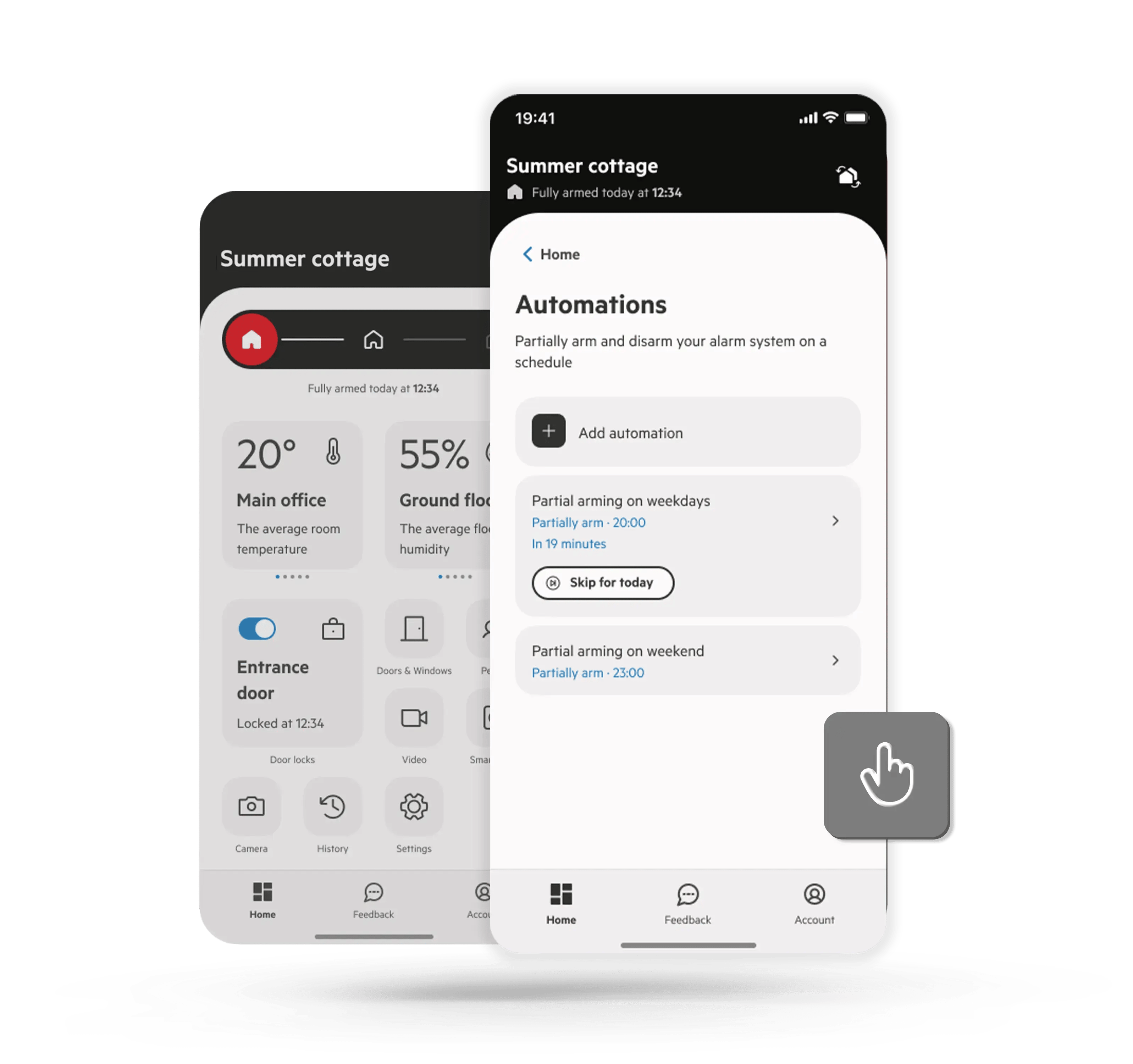
    Alarm automations make managing your alarm system simple. Schedule it to partial-arm or disarm at specific times, with the option to repeat daily or weekly. You can set multiple automations to fit your routine, and easily skip any within 30 minutes of its activation. Enable notifications to get reminders 30 minutes before a scheduled arming and updates on all arming or disarming actions.
    Questions & Answers
    Alarm automations

    Real time alerts

    Real-time alerts are an integral part of our security system. Stay updated instantly with notifications tailored to your preferences. With our advanced technology, you can customize alerts, ensuring you receive the information that matters most to you. This not only enhances your security measures but also provides added peace of mind, knowing your loved ones and property are safe and secure.
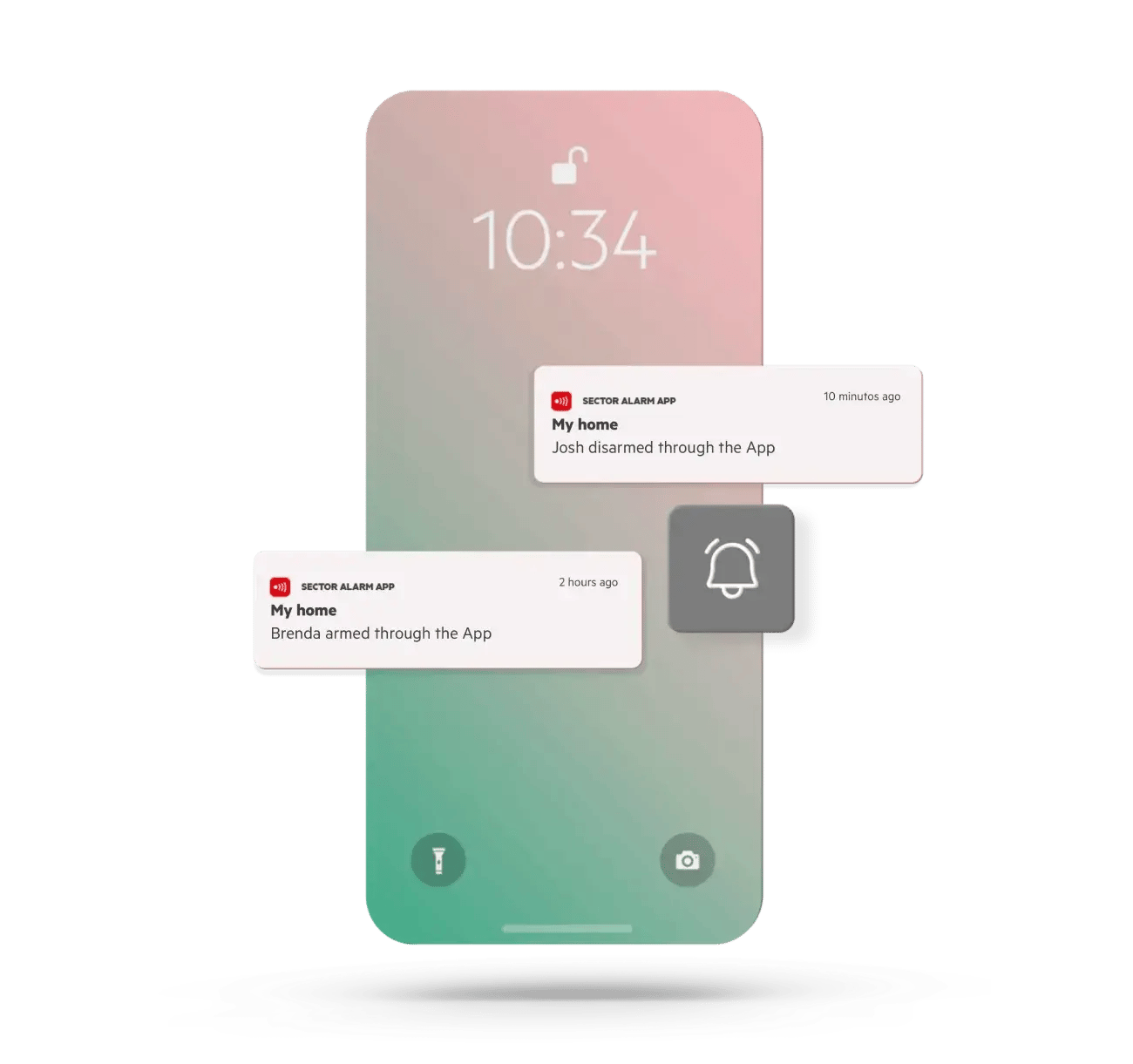
    Real time alerts

    History

    Check the history log for alarm events to stay informed about all security-related activities at your home. With easy access to the history log, you can effectively monitor and manage your home's security, ensuring comprehensive protection for your loved ones and belongings.
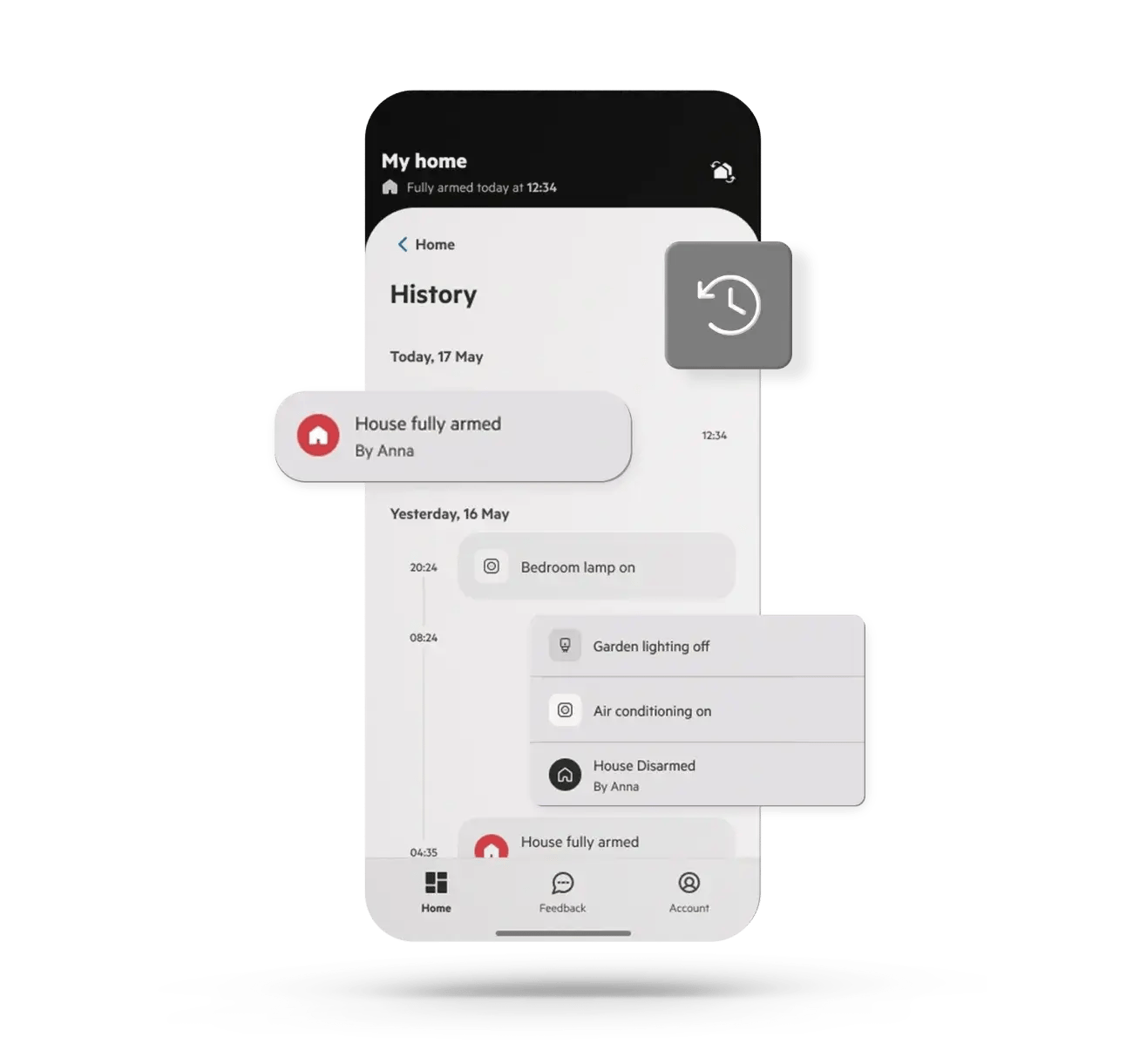
    History

    Check temperatures

    Temperature and Humidity Monitoring: Our system allows you to effortlessly monitor both the temperature and humidity levels in your property. This comprehensive monitoring ensures a comfortable and safe environment. This approach helps you take timely action to maintain an optimal indoor environment and prevent potential damage or health risks.
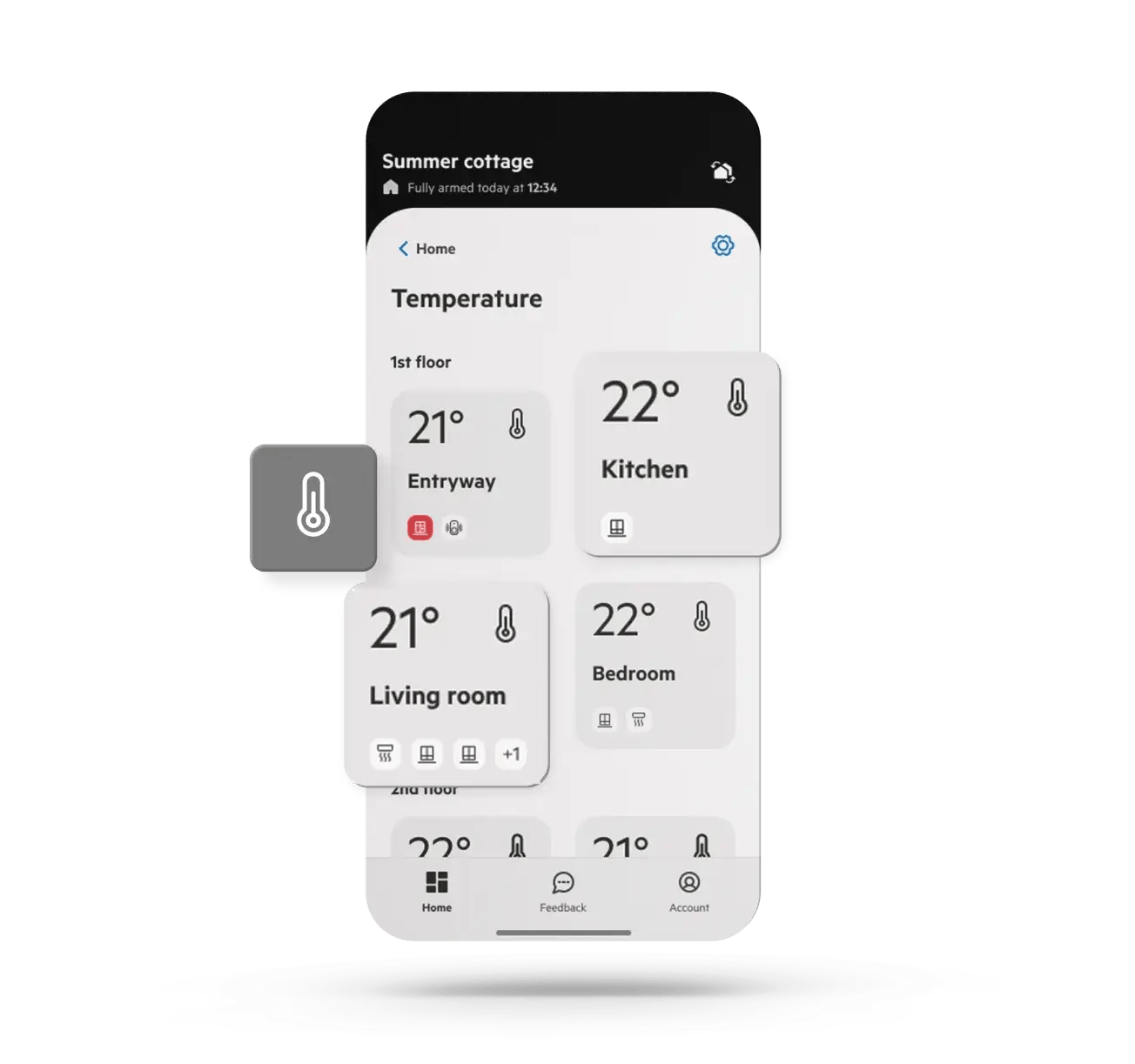
    Check temperatures

    Manage your appliances and lights

    Take control of your appliances like never before with our Smart Plugs. Manage your devices remotely, whether you want to turn lamps on/off or control electronics. With the convenience of remote access, you can easily adjust and monitor your home environment from anywhere, ensuring energy efficiency and enhancing your overall convenience.
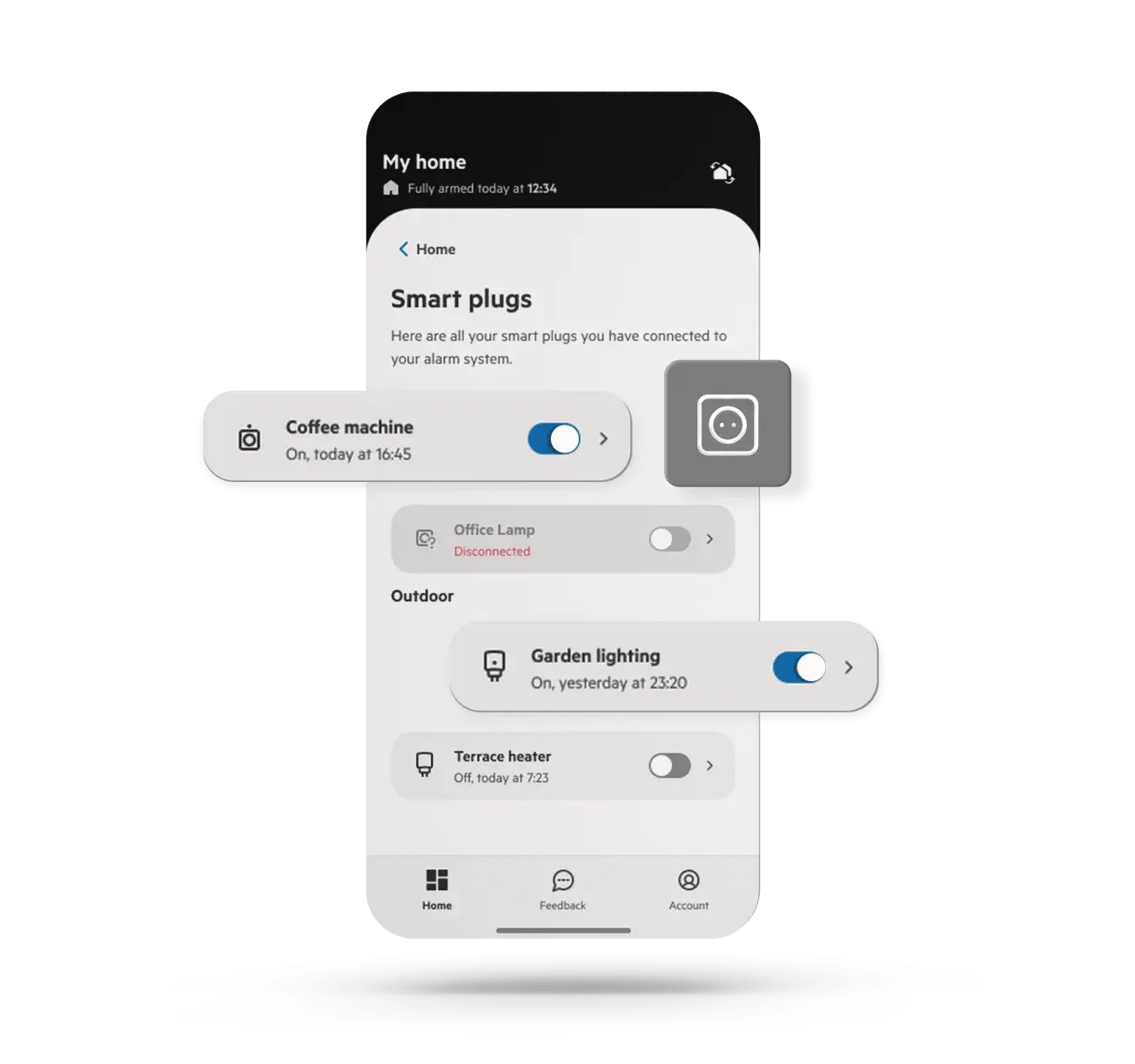
    Manage your appliances and lights

    PhoneWatch App FAQ

    How do I add another user to my app?
    • If you have our Smart Alarm System, follow this link for instructions on linking.     App Multi Account Access (phonewatch.ie)
    • If you have our Domonial or TC alarm, follow the below steps:

    You can add an additional user or administrator to your app under the settings. In the settings on your app click ‘App Users’ and select whether you would like the person to be a user or an administrator on the app. Once you enter their name and mobile phone number, they will receive a link via SMS which gives detailed instructions on how to set up their access. 

    If you don’t know what type of alarm system you have please follow this link to see the different systems. Troubleshooting PhoneWatch Alarm Problems | Expert Technical Support

    What can an administrator do on the app?

    They will have access to notifications on the system, change the system name, add and remove other users. They may also be able to change the directions, verification words and keyholders. 

    If you need any assistance, chat to us on our live chat or by calling 0818 753 753. 

    What can users do on the app?

    Users have access to arm and disarm the alarm using their own code which is set up by the main app user or an administrator. 

    Is my alarm compatible with the PhoneWatch App ?

    Any system installed prior to 2014 are not compatible with the PhoneWatch App. Systems installed from 2014 onwards are compatible with the app.

    Is my phone compatible with the PhoneWatch App?

    IPhones and most smartphones (with the exception of Blackberry’s) can support the PhoneWatch App, however if the PhoneWatch App doesn’t seem to be compatible with your phone you can still log in using laptop or pc or you can use the internet browser on your mobile. 

    *If your app has stopped working, log out of the app, check for and complete any software updates and then log back in. If you still experience an issue delete the app and download it again from the app store or play store.  

    If you need any assistance, chat to us on our live chat or by calling 0818 753 753. 

    How do I set up the PhoneWatch App for my alarm system ?

    You will receive a welcome SMS or Email in advance of the security advisor call out to set up your My Pages (App) account. Following the link in the SMS or Email you will be asked to confirm your mobile number and your customer number which is also found in the SMS or Email. Next you will be asked to confirm directions to your premises, to create a verification word which will be used in the event of an alarm activation and confirmation of 2-4 keyholders you would like on your account.    

    How do I set up the PhoneWatch App if I have not received an SMS / Email prior to the security advisor call out ?

    Go to MyPages.

    To register your personal account in My Pages, follow these simple steps:

    1. Enter your customer number and your telephone number. You will also need your email. Remember that the email should be the one you already indicated when you installed your system. If you do not know your customer number, you can find it on an invoice or request it from our Customer Service (0818 753 753.).
    2. Create a password. You will then receive a validation email.
    3. Open the email and follow the instructions to validate your account.
    When can I start using my PhoneWatch App?

    You can use the PhoneWatch App 24 hours after you register your alarm on Mypages.

    What can I do on the PhoneWatch App?

    From your application you can:

    • Activate and deactivate your alarm system
      • Turn on and off your smart plugs and see their status at all times
      • See the temperature of your home
      • Add, modify and delete user codes, both permanent and 24 hours
      • Rename users
      • Contact Customer Service through live chat
      • Update your keyholders, directions and verification words.
    What do I do if I lost my password?

    In order to reset your password you need to visit Mypages, where you click lost your password and enter in your email address, a reset link will then be sent to your email address.

    Can I have more than one alarm on the PhoneWatch App ?
    • If you have our Smart Alarm System, follow this link for instructions on linking.     App Multi Account Access (phonewatch.ie)
    • If you have our Domonial or TC alarm, follow the below steps:

    You can add an additional user or administrator to your app under the settings. In the settings on your app click ‘App Users’ and select whether you would like the person to be a user or an administrator on the app. Once you enter their name and mobile phone number, they will receive a link via SMS which gives detailed instructions on how to set up their access. 

    If you don’t know what type of alarm system you have please follow this link to see the different systems. Troubleshooting PhoneWatch Alarm Problems | Expert Technical Support

    What is the events tab on the PhoneWatch App ?

    The events option allows you to see the alarms history from when your alarm was armed or 
    disarmed using the code, keytag or PhoneWatch App.

    How can I view the temperature of the sensors on my PhoneWatch App?

    Your alarm system needs to be connected to broadband in order to view the temperature of your sensors. If you cannot see the temperatures however previously could, please check your broadband connection.  

    If you need any assistance, chat to us on our live chat or by calling 0818 753 753. 

    Do I need to be connected to Wi-Fi to use the PhoneWatch App ?

    You will need to have connection to Wi-Fi or 3G/4G to use the PhoneWatch App.

    How do I set up a multi account app access?

    The multi account option is used for customers with more than one alarm system and this process links the accounts under the same app account. Note you do need separate email addresses for each user.

    Follow these simple steps as the account holder to invite another person or another account: www.phonewatch.ie/customer/lp/app-multi-account-access/


    PhoneWatch
    Twitter
    Services
    • House Alarms
    • Burglary Alarms
    • Monitoring
    • Smoke Alarms
    Products
    • Security Cameras
    • Smart Home
    • Security Sensors
    • Essentials
    PhoneWatch
    • 15 Second Alarm Response
    • 4 Times
    • About PhoneWatch
    • Media queries
    • Blog

    Floors 3-5, Block 1 Irish Life Centre
    Lower Abbey Street
    Dublin 1, D01 Y7V2

    Call: 0818 753 753 Email: customersupport@phonewatch.ie © PhoneWatch. All rights reserved. The product/service names listed in this document are marks and/or registered marks of their respective owners and used under license. Unauthorised use strictly prohibited. PSA licence number 00621.

    • Privacy Policy
    • Privacy Policy for recruitment
    • Gender Pay Report
    • Cookie Policy
    • Whistle blower
    • Terms and conditions