


Published: October 23, 2026
by
Marguerite Cotter
Storms have become a familiar part of Irish winters, with Met Éireann naming more than 80 since it began naming storms in 2015, and high winds regularly bring down power lines and cut broadband along with them. When the power goes out, one of the first questions many homeowners ask is whether their alarm system is still protecting their house.
For a professionally monitored system, yes. This guide explains what happens during a power cut or broadband outage, how a professionally monitored alarm system continues protecting your home, and how PhoneWatch handles these situations compared with many DIY alarms.
Key Takeaways: Does a House Alarm Work in a Power Cut?
-
- A professionally monitored house alarm keeps working in a power cut. The PhoneWatch Security Gateway switches to a built-in backup battery and returns to mains power automatically once electricity is restored.
- PhoneWatch sensors do not use your home Wi-Fi. They communicate with the gateway on a dedicated 868 to 869MHz radio link, so a broadband fault does not stop detection.
- The gateway connects to PhoneWatch on three paths: 4G, Wi-Fi and Ethernet. The 4G module works independently of your broadband and landline.
- A mains power failure is reported to the PhoneWatch Alarm Receiving Centre, which contacts you if the power stays off for a long period.
- A Wi-Fi-only DIY alarm usually loses contact when the router goes down, and nobody is told that it has gone offline.
Does a house alarm work in a power cut?
A professionally installed house alarm works in a power cut because the control panel holds a backup battery that takes over the moment mains power is lost. With PhoneWatch, the Security Gateway is the only mains-powered part of the system, and it has a built-in backup battery. Most power cuts are over within a few hours, and when the electricity comes back the gateway switches back to mains automatically. Every sensor, keypad and siren around the house runs on its own long-life batteries and is unaffected either way.
During that period the system still arms and disarms, still detects movement, smoke and water, and can still send signals to the monitoring centre over 4G.
What happens the moment the power goes out?
When mains power fails, a PhoneWatch system switches to its backup battery and keeps protecting your home. The system is designed to respond in the following way:
- The Security Gateway switches to its internal battery. Protection continues without any action from you.
- We will send you an outage alert via SMS.
- Sensors carry on detecting and reporting to the gateway over their own radio link.
- If the power stays off for a long period, the Alarm Receiving Centre contacts you.
- When mains power returns, the gateway recharges and the system returns to normal.
- Leave the alarm armed as you normally would. It works on battery the same way it works on mains.
- Do not unplug the Security Gateway. It needs to stay connected to recharge when supply returns.
- Check that notifications for electrical issues are switched on in the PhoneWatch App, so you are told when mains power drops and when it comes back.
- If you are away from the property, make sure a keyholder can get there.
- Once power returns, check the system status in the app. If a fault warning is still showing after an hour or so, contact customer support.
One benefit of professional monitoring is that technical issues can be identified and reviewed, rather than relying on the homeowner to spot them.
Does a house alarm work without Wi-Fi or broadband?
A PhoneWatch house alarm works without Wi-Fi. The sensors communicate with the Security Gateway on a dedicated radio frequency of 868 to 869MHz rather than over your home network, so a router losing power or a broadband fault has no effect on detection inside the house.
Broadband matters for one link only, the one between the gateway and PhoneWatch. That link has three paths: 4G, Wi-Fi and Ethernet. The 4G module works independently of your internet or landline connection, so if the broadband drops, signalling to the 24/7 alarm monitoring centre continues over mobile.
|
Situation |
What keeps working |
What changes |
|
Power cut, broadband still up |
Detection, sirens, app control, signalling to the monitoring centre |
The gateway runs on its backup battery and reports the mains failure |
|
Broadband down, power still on |
Everything |
The gateway signals over 4G instead of your fixed line. Most homeowners never notice |
|
Power and broadband both down |
Detection, sirens, signalling over 4G |
Your router is down too, so the sim card carries the system on its own |
|
Outage longer than the battery reserve |
Local detection and sirens until the reserve is spent |
PhoneWatch contacts you if the power has been off for a long period |
How does a monitored alarm compare with a Wi-Fi-only DIY alarm? 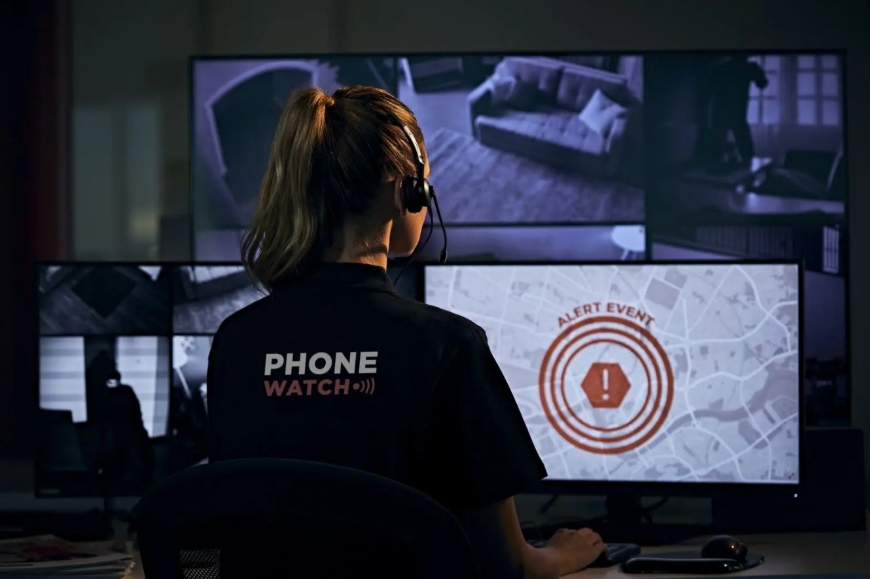
The difference between a monitored alarm and a Wi-Fi-only DIY alarm shows up when something fails rather than when everything is working. A DIY kit that depends on your router and your phone has two single points of failure, and both of them tend to go down in exactly the conditions where you want the alarm most.
|
When this happens |
Monitored PhoneWatch system |
Typical wifi-only DIY alarm |
|
Mains power is lost |
The gateway switches to its backup battery and returns to mains automatically when power is restored |
The hub loses power unless it has its own battery, and many plug-in hubs do not |
|
Broadband drops |
Signalling continues over 4G, independently of the fixed line |
Alerts stop, because the app depends on the internet connection |
|
An alarm triggers while you are out |
The Alarm Receiving Centre responds to the signal in an average of 15 seconds and escalates to emergency services if needed |
A notification goes to your phone only, and only if you have coverage and see it |
|
The system goes offline |
PhoneWatch is notified and contacts you |
You may not find out until you next open the app |
|
A device develops a fault |
The gateway verifies every few minutes that each component is working properly |
Self-managed, usually noticed when something fails to respond |
What should you do at home during a power cut?
- Leave the alarm armed as you normally would. It works on battery the same way it works on mains.
- Do not unplug the Security Gateway. It needs to stay connected to recharge when supply returns.
- Check that notifications for electrical issues are switched on in the PhoneWatch App, so you are told when mains power drops and when it comes back.
- If you are away from the property, make sure a keyholder can get there.
- Once power returns, check the system status in the app. If a fault warning is still showing after an hour or so, contact customer support.
For live outage information and estimated restoration times, ESB Networks publishes both on PowerCheck.ie.
Why is my house alarm beeping after a power cut?
A house alarm beeping or a light flashing on the keypad after a power cut is almost always the panel reporting a fault it picked up while running on battery, most often a low panel battery or a device that lost contact during the outage. The flashing light or beep is a prompt to check something, not a sign the alarm has failed. On a monitored system the same fault has usually already been reported to the Alarm Receiving Centre before you hear it.
How long do house alarm batteries last?
House alarms run two different kinds of battery and and it's helpful to understand the difference. The sensors, keypads and sirens around your home use device batteries, which PhoneWatch designs to last up to 18 months. The Security Gateway has its own rechargeable backup battery that only comes into use if there's a power cut, helping keep your alarm system running when mains power is unavailable.
Do you need to reset a house alarm after a power cut?
Most professionally installed house alarms return to normal on their own when mains power comes back, with no reset needed. If a warning is still showing an hour after power is restored, try clearing the fault and continue to monitor the system. In most cases the issue will resolve itself..
PhoneWatch can check system status remotely and in most cases identify the fault without a security advisor visit.
Storms cause a second problem worth separating from all of this. Strong winds and electrical storms can cause activations in their own right, for reasons that have nothing to do with the power supply. For more information check out our guide to preventing false alarms that covers the usual causes.
Conclusion: Why a Monitored Alarm Matters During Outages
A power cut or broadband outage should not leave your home unprotected. With backup battery power, independent sensor communication and 24/7 professional monitoring, a PhoneWatch system continues protecting your property when many DIY alarms can lose connection. Knowing your alarm can keep working through unexpected disruptions gives you greater peace of mind, whatever the weather or circumstances.
For practical advice on getting the most from your alarm during a power cut, Jennifer Ryan, PhoneWatch Customer Experience Specialist, recommends:
“Storm season can bring many challenges, which is why now is the perfect time to make sure your alarm isn’t one of them. Use your PhoneWatch app to make sure your notifications are switched on for loss of power & internet connection issues alerts. Also make sure your keyholders are up to date, you can do this on the PhoneWatch app also. Always remember to use your alarm as normal during a short power cut, the backup battery will kick in to ensure you and your home are protected!”
Protection that keeps working when the power does not
PhoneWatch installs and monitors professionally managed alarm systems in more than 120,000 Irish homes, with battery backup, 4G signalling and a 24/7 Alarm Receiving Centre behind every one of them. Get a quote and a Security Advisor will talk through how your home would be covered.
Note: References to PhoneWatch features and functionality in this article relate to SAS alarms. Features available on legacy systems, including TC, Domo and other older installations, may differ. If you're unsure which system you have, please contact PhoneWatch Customer Support.